
Resources · Web Dev Toolkit
What Software Actually Builds a Website That Converts?
Eight tools. One stack. The difference between a site that just exists online and one that actually brings in calls.
Quick answer
A website that converts is built on a real framework like Next.js, not a drag-and-drop template: that's what gives it sub-two-second load times, clean HTML that Google and AI search engines can crawl, and room to add pages without a rebuild. The 8 tools in this stack, from Next.js and Tailwind to Figma and Vercel, are the ones ROV uses on every client site for exactly that reason.
The stack behind a site that works
An HVAC company owner in Alpharetta got two quotes for a new website last spring. One came from a drag-and-drop builder: pick a theme, swap the logo, done in an afternoon. The other listed words she'd never heard: Next.js, Tailwind, Vercel. She picked the one she recognized. Six months later her ordering page still wasn't showing up when someone searched "HVAC repair Alpharetta," and she had no idea why.
The name of the software is not the point. What it determines is the point: how fast the site loads, whether Google and AI search engines can actually read it, and whether you can add a booking form or a second location page without starting over. A business owner does not need to learn to code. But knowing what a real stack looks like is how you tell a fair quote from a template with a markup.
This is the toolkit we build every ROV client site with. Not because the names are impressive, but because each one solves a specific problem that a no-code builder either can't solve or charges you extra for later.
The short version
A website's software stack decides whether it can be found, how fast it loads, and whether it can grow with your business. These are the 8 tools we use to make sure it can do all three, from the framework up to the editor we write the code in.
The 8 tools we build with
This is the actual stack, framework to editor. No filler tools added to pad the list. If a client asks what we build with, this is the honest answer.
The React framework that turns a folder of files into a fast, production site.
When to use it: Reach for it the moment a project needs real routing, SEO, or a backend, not just a single page.
Pairs with: Tailwind CSS, Vercel, Supabase
Style straight in your markup with small utility classes, no naming, no dead CSS.
When to use it: Use it on day one of any UI when you want to move fast and stay consistent.
Pairs with: Next.js, shadcn/ui
Spring-physics animation for React that looks expensive with very little code.
When to use it: Bring it in once a UI works and you want it to feel alive, transitions, gestures, scroll.
Pairs with: Next.js, shadcn/ui
Push to GitHub, get a live URL in seconds, with a preview for every change.
When to use it: The day you want others to see it. Connect the repo and you are deployed.
Pairs with: Next.js
Accessible components you copy into your code and own outright, no black box.
When to use it: When you need buttons, dialogs, and menus that are solid but still yours to restyle.
Pairs with: Tailwind CSS, Next.js
Where the screen gets designed before it gets built, together, in the browser.
When to use it: Before you write code, to settle layout, spacing, and type without guessing.
Pairs with: Tailwind CSS
A real Postgres database with auth and storage, wired up from a clean dashboard.
When to use it: The moment your app needs to remember things: users, data, uploads, logins.
Pairs with: Next.js
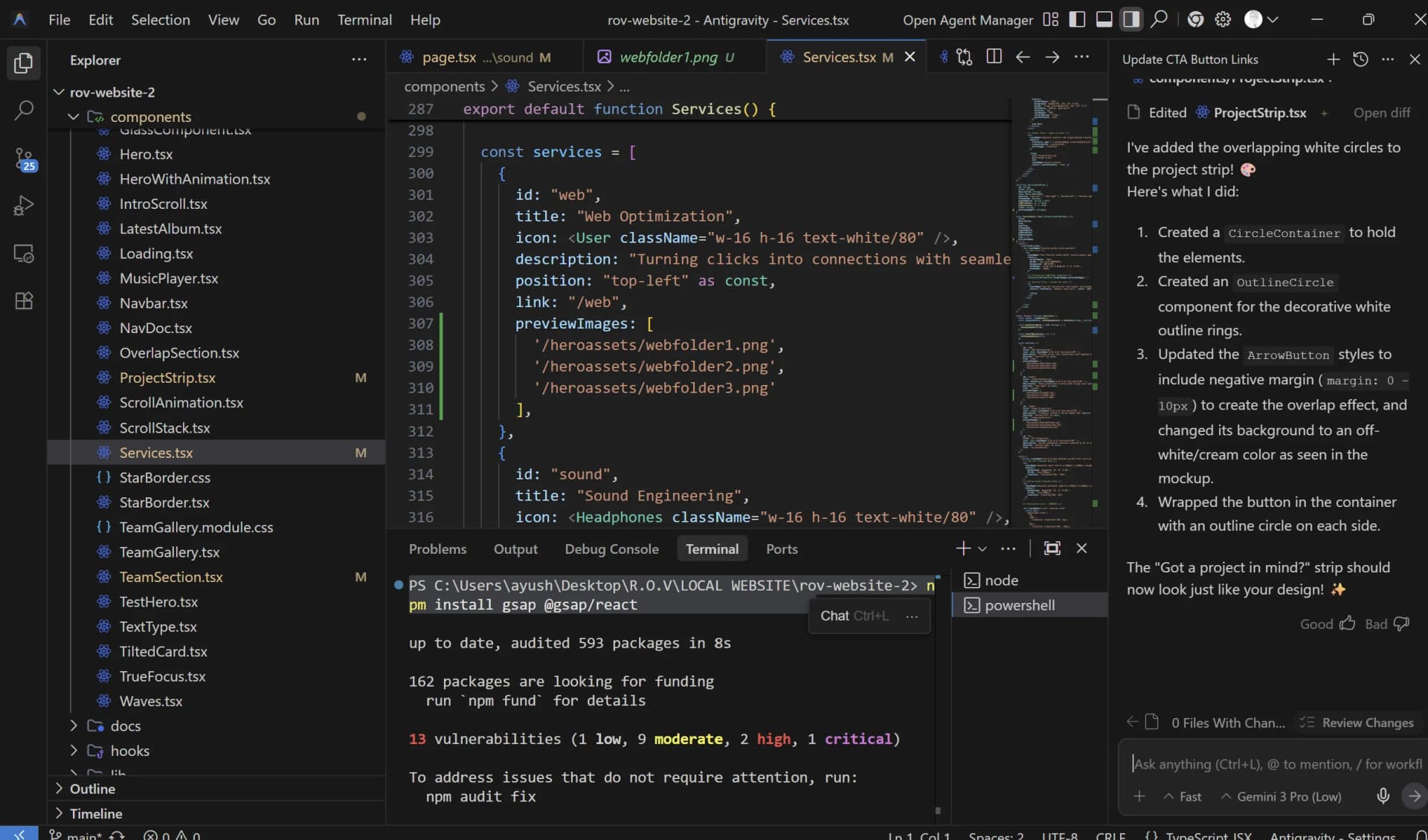
VS Code with an AI that actually understands your whole project.
When to use it: All the time, but especially when stuck, refactoring, or moving across many files.
Pairs with: Next.js
Myths, corrected
Four things Atlanta business owners assume about web development that cost them money or time when they turn out to be wrong.
A no-code builder is basically the same as a custom-coded site.
It looks the same on the surface. Underneath, template builders ship extra code your site doesn't need, which slows it down, and they limit how a search engine or AI answer engine can read your pages. A framework like Next.js gives control over both. That control is most of what separates a $500 site from one built to actually be found.
The framework doesn't matter, it's all just 'a website.'
The framework decides whether your pages load in under two seconds or five, and whether Google and AI search tools like Perplexity can crawl your content cleanly. A slow site or one that hides its content behind heavy scripts gets buried, no matter how good the design looks.
AI website builders mean you don't need to pay a real developer anymore.
AI tools make a good developer faster. They don't replace the decisions that make a site actually convert: what a customer sees first, where the call-to-action goes, how the site is structured for search. An AI-generated site can look finished in an afternoon and still be invisible in search results a year later.
You need a big agency and a big price tag to get a 'real' website.
Size is not the signal. A lean team using the right stack ships a fully custom, fast, search-ready site without the overhead of a 20-person agency. What to ask instead: what software do you build with, and can I see a live site you've shipped, not just a mockup.
What actually happens when we build your site
This is the process behind every ROV build, the same five steps whether the client is a restaurant or a roofing company. Knowing it is how you follow along with your own project instead of waiting in the dark.
The foundation gets set right, framework first
Every build starts on Next.js, so the site is fast and readable by search engines from the first line of code, not patched in later. This is the step a template builder skips entirely.
Tip: Ask any web dev team what framework they build on. If the answer is "our platform" instead of a named technology, that's a template, not custom code.
Design happens where you can see it
Layout and spacing get settled in Figma first, so there are no surprises between the mockup and the live site. Components come from a shared system like shadcn/ui, so buttons, forms, and menus stay consistent across every page.
The site gets structured to be found
Each service, each location, each page you need gets its own real route, built with the SEO and GEO foundation baked in, not bolted on after launch. This is the step most cheap sites skip, and it's the difference between a site that sits there and one that shows up in search.
You see it before it's live
Every change deploys to a preview link on Vercel before it touches the real site. You review it, we adjust, nothing goes live that you haven't seen.
Tip: If your current site can't show you a preview before changes go live, that's worth asking about.
It gets checked, then it ships
Images get compressed, page titles and descriptions get written for search, and load times get tested before launch. Then, and only then, it goes live.
What this means for Atlanta businesses hiring a web dev team
AI website builders promising a finished site in an afternoon are everywhere this year, and plenty of Atlanta owners are trying them. The site that comes out often looks fine. The problem is what's underneath: heavy, generic code that search engines struggle to read, and no real structure to grow from when you add a second location or a booking system.
Search is also changing. People in Buckhead, Grant Park, the Westside, and Marietta aren't only typing into Google anymore. They're asking Perplexity and ChatGPT Search full questions like "who's a good roofer near me." Getting picked by those answers depends on how the site is built, not just what it says. A site built on a real stack, with clean structure and fast load times, is readable by both Google and AI search. A template site optimized for nothing but looking nice usually isn't.
None of this means you need to understand the code. It means that when you're comparing quotes, the software behind the number is worth one question: what do you build with, and why.
The short version
The stack behind your website decides whether it loads fast, whether it can grow, and whether Google or AI search can actually find it. Ask any web dev team what they build with before you ask what it costs.
Related reading
Frequently asked
Suchet Konda
Co-Founder and Systems Architect, ROV Studios
Last updated July 2026
Not sure what your current site is built on?
We run free audits for Atlanta businesses. We look at your current site's stack, speed, and search visibility, then tell you exactly what's costing you and what it would take to fix it.